HomeZoom Meeting Safety
Zoom Meeting Safety
Keeping Your Council Meeting Safe. Avoiding Unwanted Guests and Zoom Bombing.
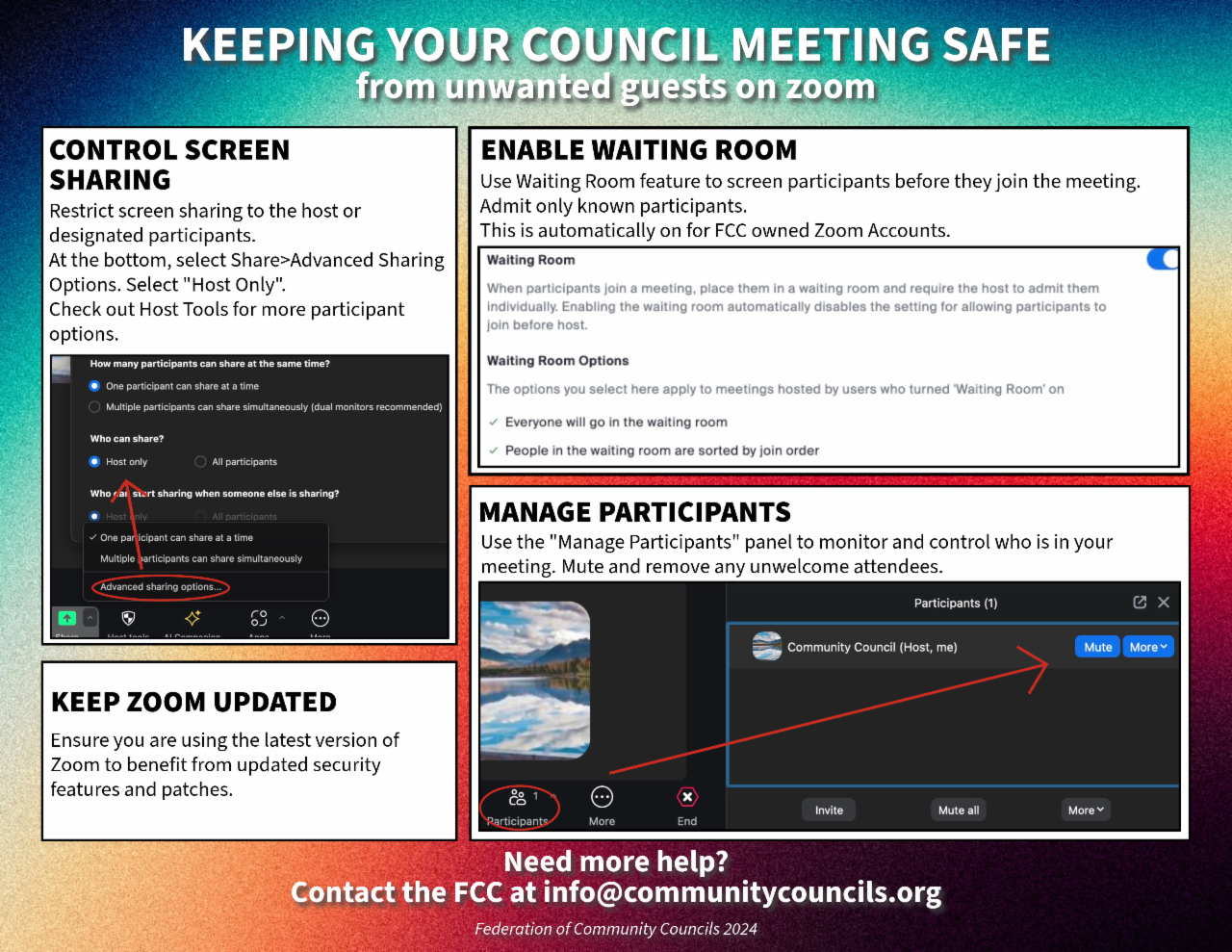
Control Screen Sharing
- Restrict screen sharing to the host or designated participants.
- You can find this under Share->Advanced Sharing Options.
- Select “Only Host”.
Enable Waiting Room
- Use Waiting Room feature to screen participants before they join the meeting.
- Admit only known participants.
- Note: This feature is automatically turned on for FCC owned Accounts.
Manage Participants
- Use the “Manage Participants” panel to monitor and control who is in your meeting.
- Mute or Remove any unwelcome attendees immediately.
Keep Zoom Updated
- Ensure you are using the latest version of Zoom to benefit from updated security features and patches.
Need More Help?
This site uses cookies for analytics and to measure ad performance. See our Privacy Policy for details.
Copyright © 2026 The Federation of Community Councils. All Rights Reserved.